Erika Goering
I can’t do everything, but I sure as hell try.
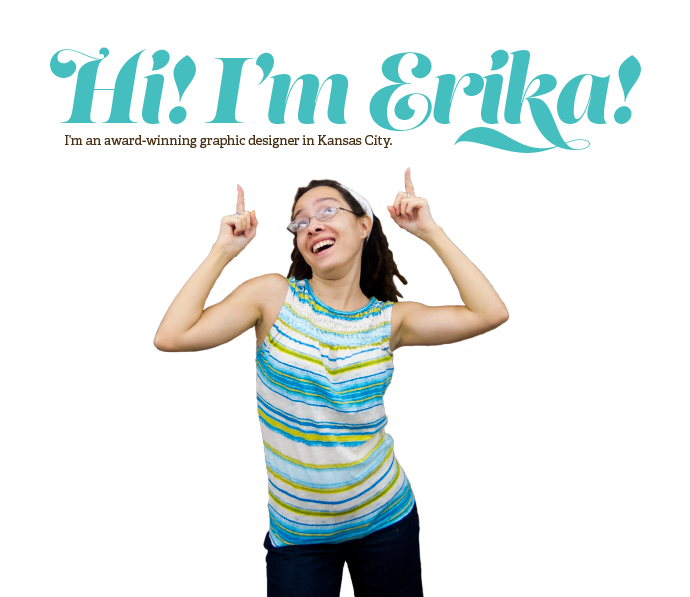
I’m a design geek
I’m passionate and curious. I stay up too late and I wake up too early so I can spend time experimenting, learning, and contemplating design. I put my whole self into my work. Blood, sweat, and tears. Design is how I solve everyday problems and satisfy my need to make things that help people. I love researching and learning about the people I design for. Getting to the root of an issue is one of my favorite parts of solving and designing for it. My interests lie in the space between concept and execution, and where reality is pushed to its limits. User experience design with emerging technologies is where this all happens. And I’m incredibly excited about the future.
Portfolio

Tword
mobile, web...

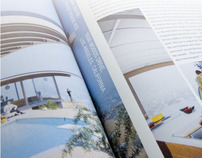
Koenig: Living With Steel
book design, print...

Cogneedo
book design, branding, print...

Hand-Built
branding, print, spatial, wayfinding...

Behoof
mobile, UX/UI, web...

Relay
mobile, UX/UI...
What I Do
Skills
Like what you see?
CONTACT MEBlog
[Downing + Goering] Poetic Final
Tamagotchis have a unique charm and personality that brighten everyday life. Their chirpy beeps and dancing pixelated characters give a little bit of happiness and a break from reality when you need it the most. The amount of attention given to your Tamagotchi determines the type of character it turns into when it grows up. It’s like raising a kid, Continue Reading...
»One last Deaf Device Find & Share
As evidenced by my unusually fruitful number of find & share posts this semester, it’s pretty clear that the world is looking for technological solutions to Deaf/hearing language barriers. Here’s one last one that I found the other day: The unique thing about the Beethoven phone is that it also has functionality for blind users! There’s braille output for situations Continue Reading...
»Monument to Interactive Play
We’ve started to narrow down and deepen our concept, with our Tamagotchi monument representing more than just play, but specifically the marked beginning of interactive, passive, but intensely involved play. An article we found is much more eloquent about this idea than we are: […] Some of the key elements of Tamagotchi anticipated many of the most successful games in Continue Reading...
»Week 12: Refining Presentation
I’ve spent some time adding detail and depth to my video. I’ve given the personas/scenarios visibly different environments (no more bland white background!) and different colored iPhones too. I’ve also got some views of the app/phone and watch peripheral from an angle that I didn’t use before, so that adds some visual interest to the whole thing. relay-demo2 I’ll have Continue Reading...
»SX Project 3: A Monument to Play
Lots of great technological innovations were born in the 90s. The Pentium processor, the world wide web, and virtual pets. As everyone knows by now, I’m an avid Tamagotchi collector. I have been since they were first released in the US in 1997. I now own over 50 pets (although I only ever raise one or two at a time). Continue Reading...
»Week 11: Relay Animation, Round 1
This week was all about animating my scenarios to show exactly what Relay does and how it works. It was a relief to finally be able to demonstrate how these things were moving around in my head! There’s a lot of sliding elements and a few rotations to show how the whole thing works. It’ll help even more to have Continue Reading...
»[Goering y Schenk] project 2
As good designers, we tend to unconsciously incorporate Dieter Rams’ Ten Principles of Design into our work. It’s common sense to us. Although the list is applied to design, it can be connected with so much more—such as us. Not us as designers, but us as people—contributors to society. Looking into human behavior, it’s quite funny how the idea of Continue Reading...

»Week 10: Final UI Refinements
Responding to the feedback from Monday, I spent some time exploring the colors and typefaces, with the intent to make everything feel more utilitarian and to give the whole thing more of a balance between masculine and feminine qualities. (The logotype was pretty darn feminine on its own, so I had to do something to offset that and make it Continue Reading...
»Week 9: Wrapping Up the Brand & UI
With my branding/naming adventure, I decided to replace my Sign•ify idea with the name Relay, simply because it makes more sense. As Jessi mentioned awhile ago (she was a HUGE help in naming my app), Sign•ify sounds like I’m making an app that converts speech into sign language, and not the other way around. So I dropped that idea and Relay Continue Reading...
»Yet Another Find & Share: Great Minds Think Alike
Gestics is yet another concept design for an app/device like mine, complete with gesture-sensing armbands! This thing just needs to be made already!...
»Week 7: Branding is hard
I started applying my visual direction to all of my screens. Some things were brought up in critique, such as the emoticons being redundant for face-to-face communication. I’ve been wracking my brain, trying to figure out branding. It’s been a really difficult process, and I can’t figure out how to stop overthinking it. (I’m overthinking how to stop overthinking, Continue Reading...
»Down & Dirty with Dieter
Lillie and I have been brainstorming and refining our concept quite a bit. We’ve narrowed it down to focusing on contradictions to the 10 principles, using types of people as the theme. We want to push the idea that the 10 principles of design are very important, and that you don’t really notice how important they are until they’re eliminated Continue Reading...
»Dieter Rams: Reverse Psychology
Lillie and I have chosen Dieter Rams (and his 10 principles of good design) for our exhibit. We’re taking those 10 principles and demonstrating how important they are by showing what happens when they are not considered. We’re referring to this as reverse psychology, where we’re showing the opposite to make our point. We need to clean up our floor Continue Reading...
»SX Self-Assessment
The most substantial thing that I’ve gained from this class is simply thinking outside my little digital box, and thinking in the context of space. I had spent a lot of my time in this department thinking in flat layers or shallow depth. Making the switch to an immersive experience really changed the way I think about spatial design. It’s Continue Reading...
»Week 6: Wireframes & Visual Exploration
Wireframes One-on-one mode can utilize both speech and ASL input from the Deaf/HoH user. Group mode can also be used in a one-on-one conversation from afar, like across a long table in a conference room, for example. Visual Exploration This is a textured look that isn’t necessarily skeuomorphic, but it still gives a sense of depth and Continue Reading...
»Find & Share: More Peripherals!
I’m getting rid of my infrared idea for the Deaf watch. Why? Because of this thing: It’s an armband that can sense your gestures and finger movements by how your muscles flex. (We live in the future!) Watch the demo video to see its true awesomeness....
»Technology Transhumanized: Future-Proofing the Save Icon
In an abridged history of human life, we went from engaging in daily face-to-face contact, where people looked each other in the eyes and relished in the subtleties of communication, to inventing computers and sitting hunched over an 8-bit screen of code, to looking down into our palms for the lastest news on our friends’ so-called lives. Well, it’s time Continue Reading...
»Week 5: New Considerations: Hardware Peripherals
An idea that I had originally been hesitant to try was introducing theoretical hardware into the project in order to make technology less invasive. By developing something wearable, I’m starting to make the technology less of a burden and a more normal part of the person’s daily life. Another issue that was raised was the burden of requiring multiple hearing Continue Reading...
»[jessie & erika] practical 1
Our wayfinding concept is heavily influenced by KCAI’s informal voice and personality. We decided to focus on the unexpected moments that people may encounter when they visit or study at KCAI. We embrace the lighthearted humor and celebrate all things out-of-the-ordinary. We embrace the fact that we are not an ordinary school. We aren’t pristine or overly formal. We aren’t Continue Reading...
»Week 4: Sketches!
I’ve started to put some serious thought into how to actually design the deaf transcriber app: Next steps: Flesh out each mode’s scenario. (And think a bit deeper with the multi-device mode’s scenario.) Start exploring branding/naming and visual design options. (Also decide how subtext will be conveyed; through emoticon, color, and/or typography.)...
»[ir]Reverence
north facing building means maximum natural light! so beautiful. It’s crazy to think that this was originally meant to allow natural light to come through. It’s pretty sad that it is now completely covered off. While I was out sick, Jessie Ren came up with an idea that we both ended up getting really excited about. She explained her thinking Continue Reading...
»Find & Share: Deaf Device Concepts
Since I’m in an “anything goes” mindset with this project, I figured it’d be good to share some of the concept devices or peripherals that I’ve stumbled across. I will pull from some of these and apply it to my project in a way that works with my thesis question. Concept phone that translates what the caller is saying: Continue Reading...
»Week 3: Sketches and Presentation
I summed up my previous couple of weeks’ progress in the form of a presentation. Some feedback I received includes: Be careful about turning this project into a cold, sterile, pragmatic, primarily geeky endeavor. Remember that these are people I am designing for. (On of my solutions to this is to make conveying emotion and inflection a priority in the Continue Reading...
»Creepy-Exciting Logistics
I’ve gotten to the point where I’ve pretty much narrowed down what my app will be; a two-way ASL and spoken English translator, where both of these inputs (either ASL captured with a camera, or speech captured with a microphone) output to text on a mobile device (phone or tablet). Most of the things that I’ve researched as comparables have Continue Reading...
»Map, Concept, and Integrating Technology
Jessie Ren and I have made quite a bit of progress since last week. We’ve updated our map to be easier to read and easier to use for our mockups. We’ve been developing an icon set for our wayfinding system. Icons will be used for identifying places within the context of the map, and for wayfinding elements in the Continue Reading...
»Week 2: Verbal Audit, Visual Audit, Personas, and Timeline
Over the weekend, I went to the movies with my hard-of-hearing (HoH) friend. Since the theater has changed their caption policy, we could no longer view open-captioned films. This change was actually more convenient for us, because it meant we were no longer limited to specific and rare showtimes. However, instead of simply buying a movie ticket for the open-captioned Continue Reading...
»Wayfinding Concepting
We quickly delved into the process of marking site identifiers, but also generally getting a feel for the campus as a whole. We began to think about the unique aspects of the school and how to translate that in the signage. Words like energetic, insightful, innovative, non-traditional, creative, and unique were all found in KCAI’s identity guide. To us, all these words Continue Reading...
»About My Future: Career Goals
I’ve always been excited by technology. I have a tendency to take gadgets apart and see how they work (I void warranties on a regular basis). This curiosity, combined with my interest in the expressiveness and visceral nature of art, ultimately led to my passion for design. Design, to me, is about the layers between form and function, and my passion Continue Reading...
»Wayfinding Inspiration, Campus Map, and Mind Map
We plotted out where things are on campus and started thinking about where some markers/signs could be. And then we did a mind map:...
»Inspiration, Research, and Obervations
Inspiration: Vocre Translate: I love the idea of the translated messages being displayed in opposite directions for each user facing opposite ends of the device. This is, of course, limited to only spoken language with a text output. Swype Keyboard: Typing is gesture-based, predictive, super-fast, and error-proof. This allows for effective and efficient communication. Swype is on this list because Continue Reading...
»